


The shinyTree package enables Shiny application
developers to use the jsTree
library in their applications.
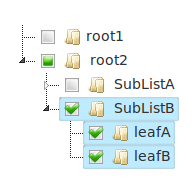
Install the released version from CRAN:
install.packages("shinyTree")or the development version from GitHub:
# install.packages("remotes")
remotes::install_github("shinyTree/shinyTree")
Some examples use packages shinyTree does not need itself:
16-async needs promises and future,
19-data.tree needs data.tree and shinyjs,
20-api needs shinyjs, 23-file-icons needs
tidyr, and 28-ontology needs xml2 to read OWL files.
library(shiny)
runApp(system.file("examples/01-simple", package = "shinyTree"))
A simple example to demonstrate the usage of the shinyTree package.
library(shiny)
runApp(system.file("examples/02-attributes", package = "shinyTree"))
Manage properties of your tree by adding attributes to your list when
rendering. See ?renderTree for the full list, including
sttooltip for hover text.
library(shiny)
runApp(system.file("examples/03-checkbox", package = "shinyTree"))
Use checkboxes to allow users to more easily manage which nodes are selected.
library(shiny)
runApp(system.file("examples/04-selected", package = "shinyTree"))
An example comparing get_selected() and
get_checked() side by side. It can switch checkboxes on and
off and toggle tie_selection, whole_node and
three_state, explaining how each combination behaves: with
the default tie_selection = TRUE, checked and selected are
the same thing, while with tie_selection = FALSE a node can
be checked without being selected.
library(shiny)
runApp(system.file("examples/05-structure", package = "shinyTree"))
Demonstrates the low-level usage of a shinyTree as an input in which all attributes describing the state of the tree can be read.
library(shiny)
runApp(system.file("examples/06-search", package = "shinyTree"))
An example showing the use of the search plugin to allow users to more easily navigate the nodes in your tree.
library(shiny)
runApp(system.file("examples/07-drag-and-drop", package = "shinyTree"))
An example demonstrating the use of the drag-and-drop feature which allows the user to reorder the nodes in the tree.
library(shiny)
runApp(system.file("examples/08-class", package = "shinyTree"))
An example demonstrating two ways to style nodes: a jsTree type
(sttype), which styles every node of that type, and
stcssclass, which gives a node any number of CSS classes
for the app’s own CSS to style.
library(shiny)
runApp(system.file("examples/09-themes", package = "shinyTree"))
An example demonstrating the use of built-in tree themes.
library(shiny)
runApp(system.file("examples/10-node-ids", package = "shinyTree"))
An example demonstrating the ability to label and return node identifiers and classes.
library(shiny)
runApp(system.file("examples/11-tree-update", package = "shinyTree"))
An example demonstrating the ability to update a tree with a new tree
model using updateTree(). It also has “Expand all” and
“Collapse all” buttons, using expandTree() and
collapseTree() to open or close every node without
resending the tree.
library(shiny)
runApp(system.file("examples/12-types", package = "shinyTree"))
An example demonstrating node types with custom icons.
library(shiny)
runApp(system.file("examples/13-icons", package = "shinyTree"))
An example demonstrating various ways to use icons on nodes.
library(shiny)
runApp(system.file("examples/14-files", package = "shinyTree"))
Demonstrates how to create a file browser tree.
library(shiny)
runApp(system.file("examples/15-data", package = "shinyTree"))
Demonstrates how to attach and retrieve metadata from a node.
library(shiny)
runApp(system.file("examples/16-async", package = "shinyTree"))
Demonstrates how to render a tree asynchronously with
renderTreeAsync(), so a tree that is slow to build – with
promises and future – does not hold up the app.
library(shiny)
runApp(system.file("examples/17-contextmenu", package = "shinyTree"))
Demonstrates how to enable the contextmenu.
library(shiny)
runApp(system.file("examples/18-modules/app.R", package="shinyTree"))
runApp(system.file("examples/18-modules/app_types.R", package="shinyTree"))
Demonstrates how to use shinyTree with shiny modules.
library(shiny)
runApp(system.file("examples/19-data.tree", package = "shinyTree"))
Demonstrates how to pass a data.tree to shinyTree.
library(shiny)
runApp(system.file("examples/20-api", package = "shinyTree"))
An example demonstrating how to extend the operations on the tree to the rest of the jsTree’s core functionality.
library(shiny)
runApp(system.file("examples/21-options", package = "shinyTree"))
Demonstrates the shinyTree.refresh and
shinyTree.setState options, which decide whether a refresh
or set_state started in the browser – by the app’s own
JavaScript, say – is reported in input$tree. A tree sent by
the server with renderTree() or updateTree()
is reported once it has loaded either way. See the Options
section of ?shinyTree.
library(shiny)
runApp(system.file("examples/22-dfToTree", package = "shinyTree"))
Builds a tree from a data frame with dfToTree(), one
level per column, and turns input$tree back into a data
frame with treeToDf().
library(shiny)
runApp(system.file("examples/23-file-icons", package = "shinyTree"))
An example demonstrating how to create a file tree with individual icons.
library(shiny)
runApp(system.file("examples/24-checkbox-options", package = "shinyTree"))
An example of a tree whose checkboxes are decoupled from the
selection, using tie_selection, whole_node and
three_state.
library(shiny)
runApp(system.file("examples/25-duplicate-names", package = "shinyTree"))
An example showing that sibling nodes may share the same name.
Several nodes are called Invoice, each with its own
attributes, and get_checked() reports each checked node
individually along with the attributes belonging to that specific
node.
library(shiny)
runApp(system.file("examples/26-state", package = "shinyTree"))
Trees that remember how the user left them. With
state = TRUE the browser saves which nodes are open,
selected and checked, and restores them when the page is reloaded:
shinyTree("tree", checkbox = TRUE, state = TRUE)stopened, stselected or
stchecked attributes the tree is rendered with, the default
state_priority = "saved" restores what the user had.
state_priority = "code" keeps the app’s attributes and
restores the rest of the remembered state around them. The example shows
the two side by side.updateTree() or a re-render is shown as the server sent
it.localStorage, under "shinyTree-<id>" by
default; pass state = "my-key" to choose the key, for
example to keep two apps on one server apart. It is never sent to the
server, though the restored state reaches input$tree like
any other change.See ?shinyTree for the details.
library(shiny)
runApp(system.file("examples/27-lazy", package = "shinyTree"))
Trees whose nodes are fetched from the server as they are opened,
with renderTree(lazy = TRUE), for trees too large to send
whole. The render expression returns a function that is given a node’s
path and returns its children:
output$tree <- renderTree(lazy = TRUE, {
  function(path) {
    # path: the names from the root to the node being opened;
    # character(0) for the top level. Mark children that have children of
    # their own with stchildren = TRUE.
    list(a = structure("", stchildren = TRUE), b = "")
  }
})
One tree holds every number from 1 to 1,000,000 and finds any of them
with a search function, fetching only the branches on the
way; the other browses a folder. See the Lazy loading section
of ?renderTree for searching the whole tree, telling
same-named siblings apart with function(path, node),
errors, state, and speed.
library(shiny)
runApp(system.file("examples/28-ontology", package = "shinyTree"))
Browses an ontology with ontologyToTree(), which reads
an OBO or OWL file and returns what renderTree(lazy = TRUE)
needs:
go <- ontologyToTree("go-basic.obo")
output$tree <- renderTree(lazy = TRUE, go)
A term with several parents appears under each, obsolete terms are
greyed out under obsolete, and the search box finds a term
by name or id anywhere in the ontology. The example shows the Anatomical
Entity Ontology from issue #33, or an ontology you upload; see its
README for the AEO’s source and licence.
See the Issues page for information on outstanding issues.
The development of this project was generously sponsored by the Institut de Radioprotection et de Sûreté Nucléaire and performed by Jeff Allen. The code is licensed under The MIT License (MIT).
Copyright (c) 2014 Institut de Radioprotection et de Sûreté Nucléaire
Permission is hereby granted, free of charge, to any person obtaining a copy of this software and associated documentation files (the “Software”), to deal in the Software without restriction, including without limitation the rights to use, copy, modify, merge, publish, distribute, sublicense, and/or sell copies of the Software, and to permit persons to whom the Software is furnished to do so, subject to the following conditions:
The above copyright notice and this permission notice shall be included in all copies or substantial portions of the Software.
THE SOFTWARE IS PROVIDED “AS IS”, WITHOUT WARRANTY OF ANY KIND, EXPRESS OR IMPLIED, INCLUDING BUT NOT LIMITED TO THE WARRANTIES OF MERCHANTABILITY, FITNESS FOR A PARTICULAR PURPOSE AND NONINFRINGEMENT. IN NO EVENT SHALL THE AUTHORS OR COPYRIGHT HOLDERS BE LIABLE FOR ANY CLAIM, DAMAGES OR OTHER LIABILITY, WHETHER IN AN ACTION OF CONTRACT, TORT OR OTHERWISE, ARISING FROM, OUT OF OR IN CONNECTION WITH THE SOFTWARE OR THE USE OR OTHER DEALINGS IN THE SOFTWARE.